

Accept payments in-person using just your mobile device. Whether customers want to scan their card, pay through a Link, or settle in cash, In-Person payments lets you and your team collect and record payments instantly. It’s fast, secure, and built to fit the way you do business.Documentation Index
Fetch the complete documentation index at: https://nomod-26.mintlify.app/llms.txt
Use this file to discover all available pages before exploring further.
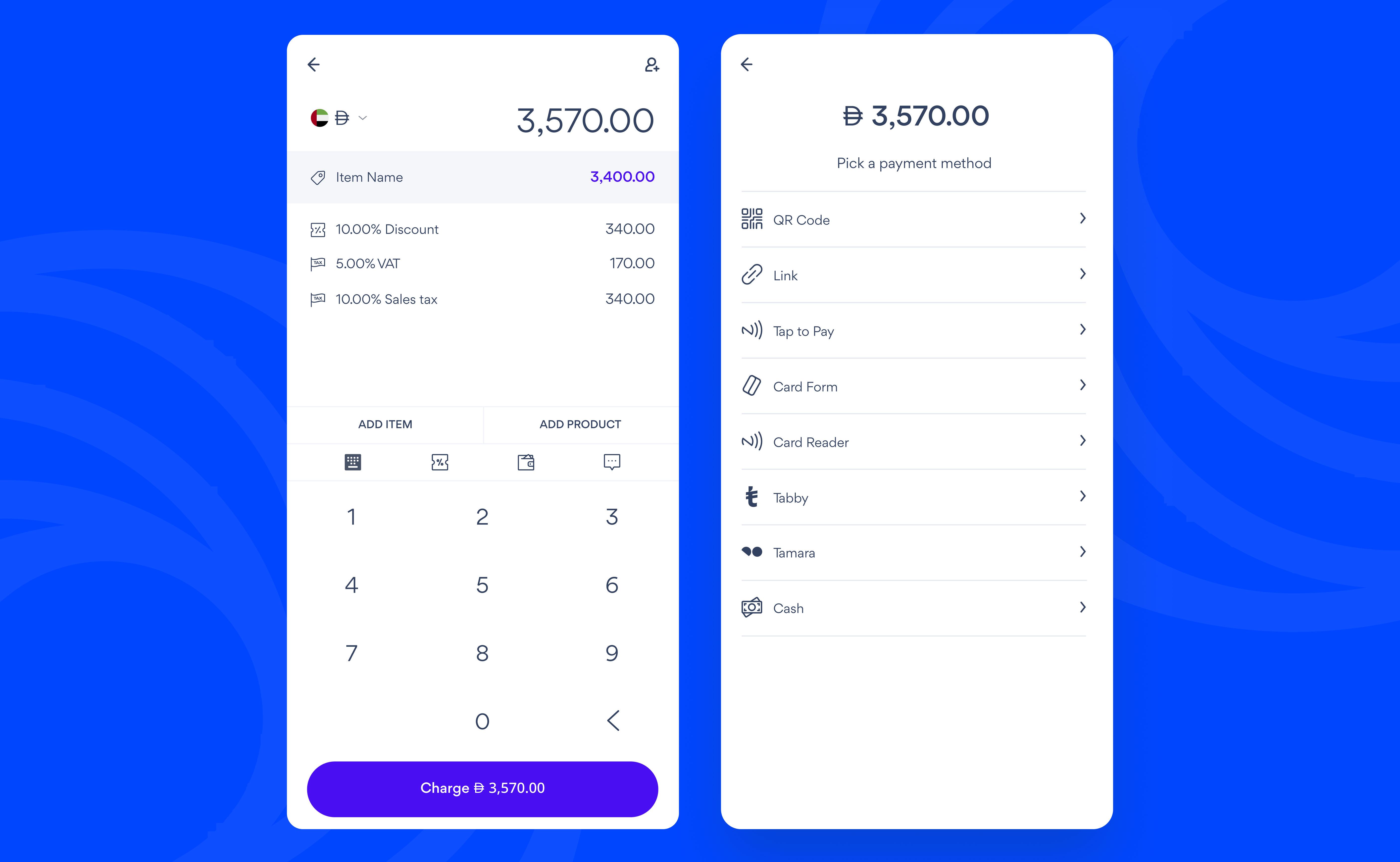
Creating an In-Person Payment
- Tap In-Person
- Enter the price of the product you are selling
- Tap Item Name to add a product name. You can also edit the price and quantity here and tap Save
-
Add extra details (This is optional):
- Tap Add Item to add more products
- Tap Add product to add products from your Catalogue
- Tap % to add a discount
- Tap the Wallet to allow customers to add a tip
- Tap Chat to add a note that describes what you are selling
-
Tap Charge and pick a payment method:
- QR code: Ask your customer to scan the QR code and pay on their own device
- Link: Tap Share to copy or send a payment link to your customer
- Tap to Pay: Tap your customer’s card or phone on your mobile device (Available on USD charges)
- Card Form: Enter your customer’s card details
- Tabby and Tamara: Ask your customer to scan the QR Code and pay from their own phone
- Cash: Enter the amount you received from your customer and tap Collect
- Tap Send Receipt to send a receipt via email